
ReStory: Chill Electronics Repairs Parts Catalog
Use the device and hardware notes to research spare parts, browser listings, tools, and each customer order.
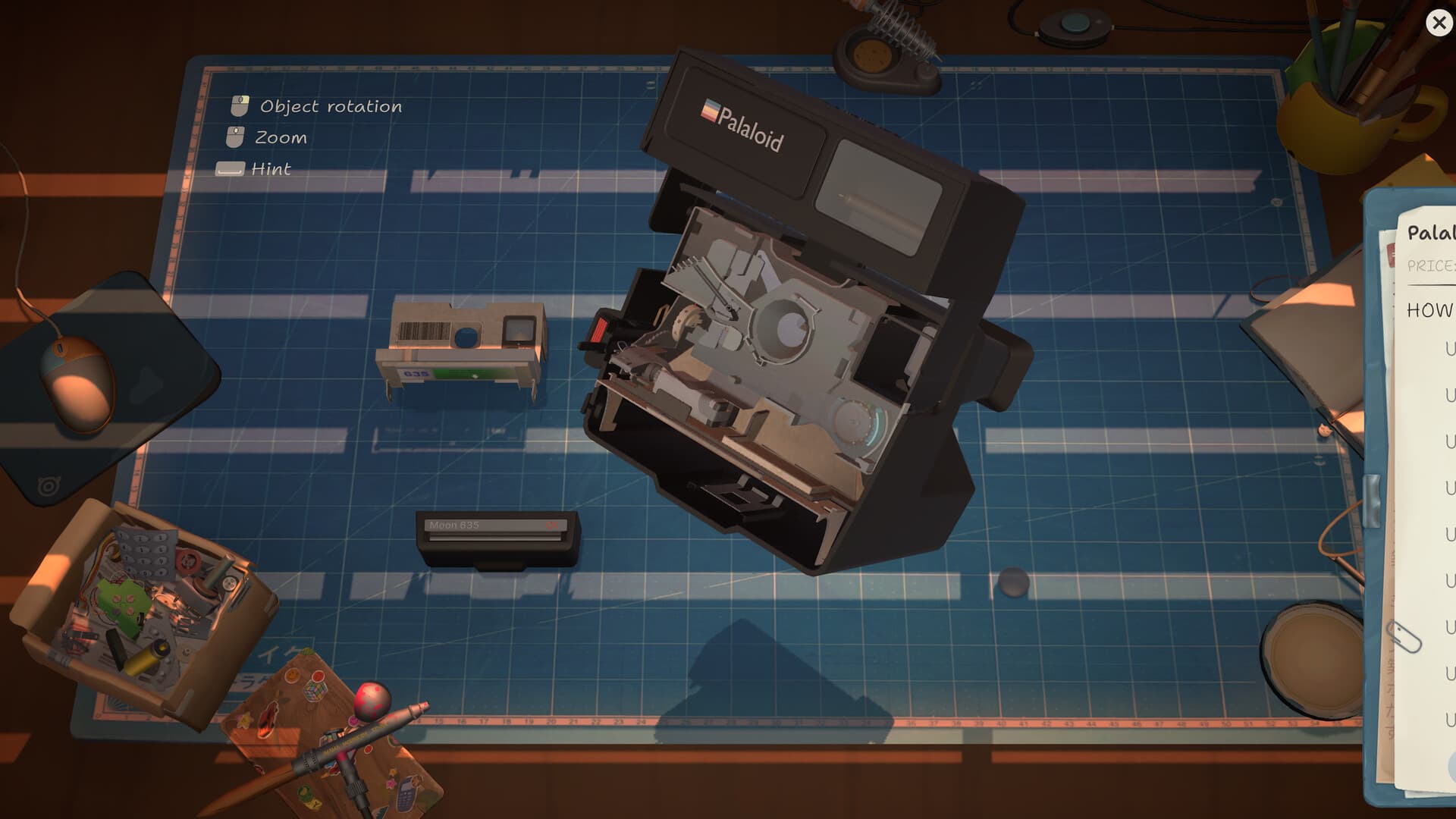
The ReStory: Chill Electronics Repairs parts catalog covers device families and named devices described by the official material. The game uses a Y2K-era web browser to hunt for spare parts, and the published material names consoles, handhelds, phones, cameras, music players, and home appliances.
Confirmed device families
The official Steam description gives the catalog structure: nostalgic game consoles, handhelds, phones, cameras, music players, and home appliances. Use these categories as filters in a reference page.
The repair flow connects the device entry to a faulty component, cleaning stage, replacement spare, tool, and final assembly. Keep the catalog organized by device family and repair stage.
Named devices from the supplied material
The official Demo announcement names Pokia N-Joy, Patento BS, and Palaloid. Patento BS is also described as having a more difficult disassembly in the official announcement.
The official Atari material covers Atari 2600 and 2800 hardware and the CX40 joystick. Keep the Atari models in a separate licensed-hardware section rather than merging them into a generic console list.
Recommended catalog fields
Use one row per named device and one linked record per spare part. The useful fields are the device name, family, repair stage, spare-parts source, and order type.
| Field | What can be written now |
|---|---|
| Field | Reference |
| --- | --- |
| Device | Device family or named hardware |
| Repair stages | Disassembly, cleaning, replacement, assembly, and delivery |
| Spare-parts source | Y2K-era browser and shop systems |
| Order type | Customer, online, marketplace, or competition |
How to use the catalog while playing
Start with the device category and the customer request, then note the part that the game identifies as faulty. Search the Y2K-era browser for the spare and record whether the order came from a web listing, an online request, a marketplace purchase, or another source.
When the part is in hand, record the tool and the repair state rather than only the final result. This makes it possible to connect the parts catalog to the walkthrough, cleaning guide, Internet page, and Atari page without publishing unsupported prices or unlock dates. A source-backed catalog is more useful than a long list of names that cannot be checked in the full release.
Atari entries need their own notes
The Atari announcement gives unusually specific teardown context: Atari 2600 and the CX40 joystick are described with four screws, a motherboard, joystick, upper and lower shells, a red button, and power cables. The game simplifies the motherboard-to-power-cable connection for playability. These are official in-game teardown notes, not a complete parts catalog for every Atari device.
Do not provide real-world high-voltage teardown advice on this page; it is an in-game reference only.
Official sourceOfficial Steam device categories and browser feature
Official sourceOfficial Demo, Atari, and device announcement material
ReStory: Chill Electronics Repairs Walkthrough
Start the shop and follow the repair loop from the first customer order through disassembly, cleaning, replacement, reassembly, and delivery.
ReStory: Chill Electronics Repairs Cleaning Guide
Follow the cleaning sequence, review ultrasonic bath achievements, and connect workspace cleaning with each repair order.
ReStory: Chill Electronics Repairs Endings
Track the branching story, customer choices, and multiple endings while keeping repair progress connected to story decisions.